From 2024 to 2026, I worked as a UX designer on a team building an internal developer platform for JPMorganChase's software engineers. Before general release, usability testing and user interviews showed developer satisfaction with the tool was as low as 29%, with consistent themes around confusing navigation, unclear terminology, and difficulty understanding how different parts of the product related to each other. With only a few weeks until launch, the question became: how do we remove as many barriers to adoption as possible, as quickly as possible?
I was the sole UX designer embedded within a cross-functional team of 8 developers, working closely with a dedicated research team and reporting into product and design leadership.
Beyond design, I took an active role across the full project lifecycle — moderating usability testing sessions, contributing to the user testing guide and interview discussion guides, and iterating rapidly on designs as consensus emerged from research.
I collaborated directly with engineering to write design specs, and worked with product and design leadership to prioritise which improvements would have the most impact within our tight delivery window.
This project ran over a period of two months, with my contributions starting in early May. Working back from a hard deadline of late July, we were left with about a month and a half to ideate, design, test, validate, implement and release.
Methodology
Research ran across two phases. In the first, we conducted user interviews with 36 software engineers, engineering managers and architects, alongside a terminology survey distributed to 77 participants — giving us a clear, evidence-based picture of the adoption barriers and language mismatches before we'd designed anything. In the second phase, we ran moderated usability testing sessions with 17 developers, engineering managers and architects, asking them to complete a set of tasks in a redesigned prototype. Sessions were structured around consistent task scenarios so we could measure completion rates, ease of use, and satisfaction in a way that was directly comparable to our baseline data.
Key barriers to adopting the developer portal could be classified in three categories.
Internal communications were encouraging developers to adopt the portal, but most had no idea what it actually offered. When they landed in it for the first time, they felt immediately lost — their questions went unanswered.
When people first come in, the reaction is "I don't know how to use this right".
The relationship between repositories, projects and applications was communicated inconsistently across the product. This hierarchy mattered to engineers, who performed different tasks depending on which level they were working at — and the portal made it hard to keep track.
User interviews showed that the existing landing page — a dashboard intended to surface personalised activity data — was falling flat. It was often empty, sometimes unhelpful, and generally not worth visiting. On top of that, 60% of beta testers failed tasks that involved navigating across projects.
Find my projects was difficult. Seeing the arrow next to the context selector wasn't intuitive - I didn't get that right away. I didn't know projects existed for the first couple of times.
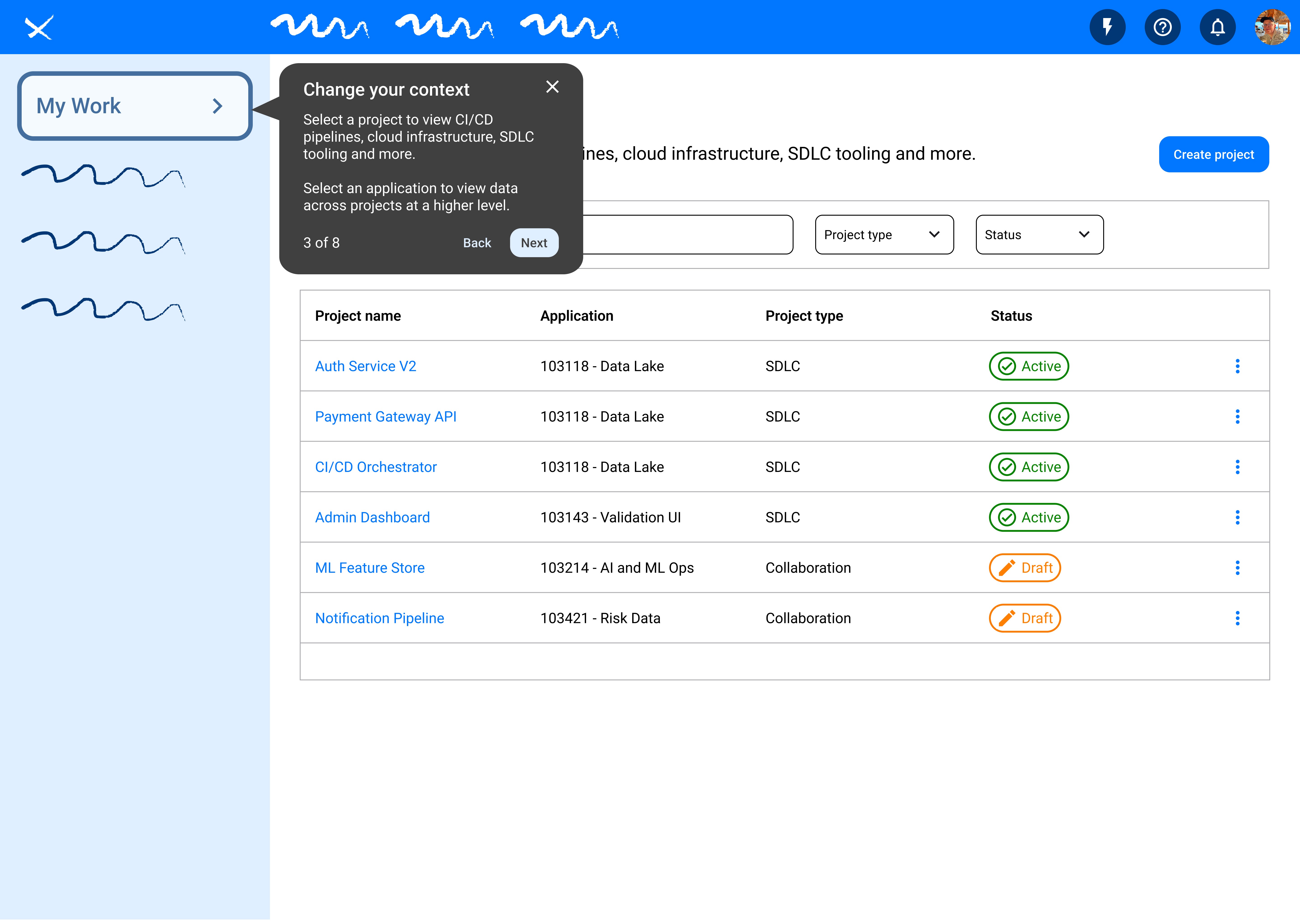
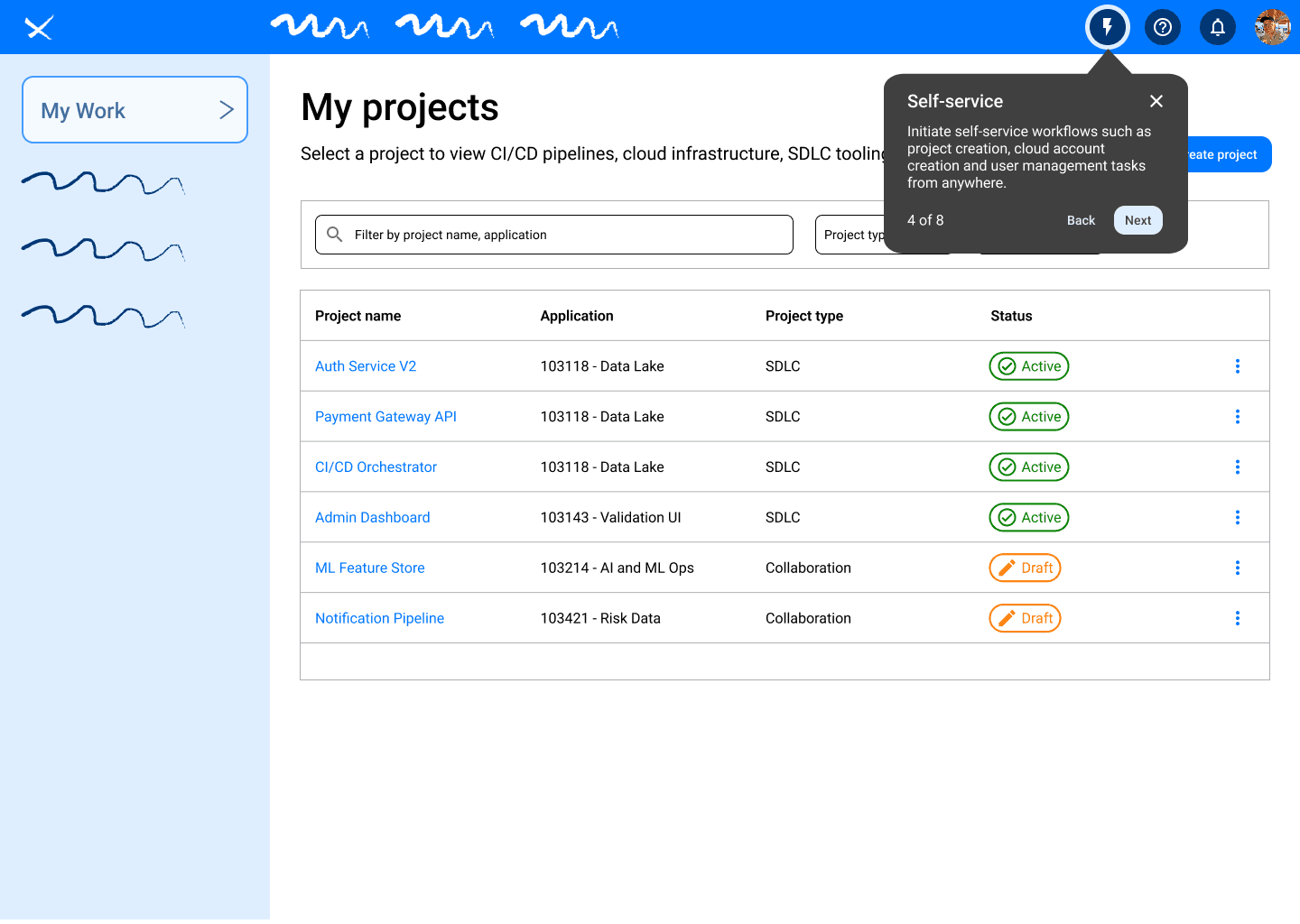
We rolled out a short product tour to help developers get their bearings. It covered key concepts: contexts, search, self-service, and the help centre. We started with around 13 stops, then refined it through testing — asking participants what felt essential, what could be grouped, and what could be skipped. The sweet spot turned out to be 7 steps. While some participants found the tour really valuable, others said they'd normally skip it but might want to revisit it later. So we made it optional, with a clear entry point to replay it at any time.
Outcomes
15/16 participants felt strongly that the welcome screen and tour were helpful when it came to getting oriented. When the participants completed the tour, they were able to navigate more effectively within the prototype.
We enhanced the breadcrumbs to surface the application → project → repository hierarchy, making structural relationships clearer and navigation across contexts easier. Through testing, we also replaced proprietary terminology with more familiar language — swapping in terms like 'project' and 'maintenance' that better matched how developers already thought about their work.
Outcomes
13/16 participants felt the new terminology resonated better with their mental model and preferred this to the terminology used in the current production version of the developer portal.
The dashboard landing page wasn't working for most developers — it often had too little data to be useful. Our primary persona, the code-committing developer, lived mostly in a project context anyway. So we swapped the default homepage to a 'My Projects' view, putting the most relevant content front and centre from the moment they logged in.
Outcomes
All participants were more easily able to navigate to critical tasks, such as viewing CI/CD pipelines.
Our initial research showed that the context selector — the main tool for navigating between applications and projects — had low discoverability but high learnability. In other words, developers struggled to find it on their first visit, but once they'd used it, they were comfortable with it. I explored a first-time experience that would walk users through selecting their initial context with an empty UI prompt. But given our timeline, and the fact that the product owner had flagged the context selector as something to be reconsidered in future, we decided not to build a solution that depended heavily on it.
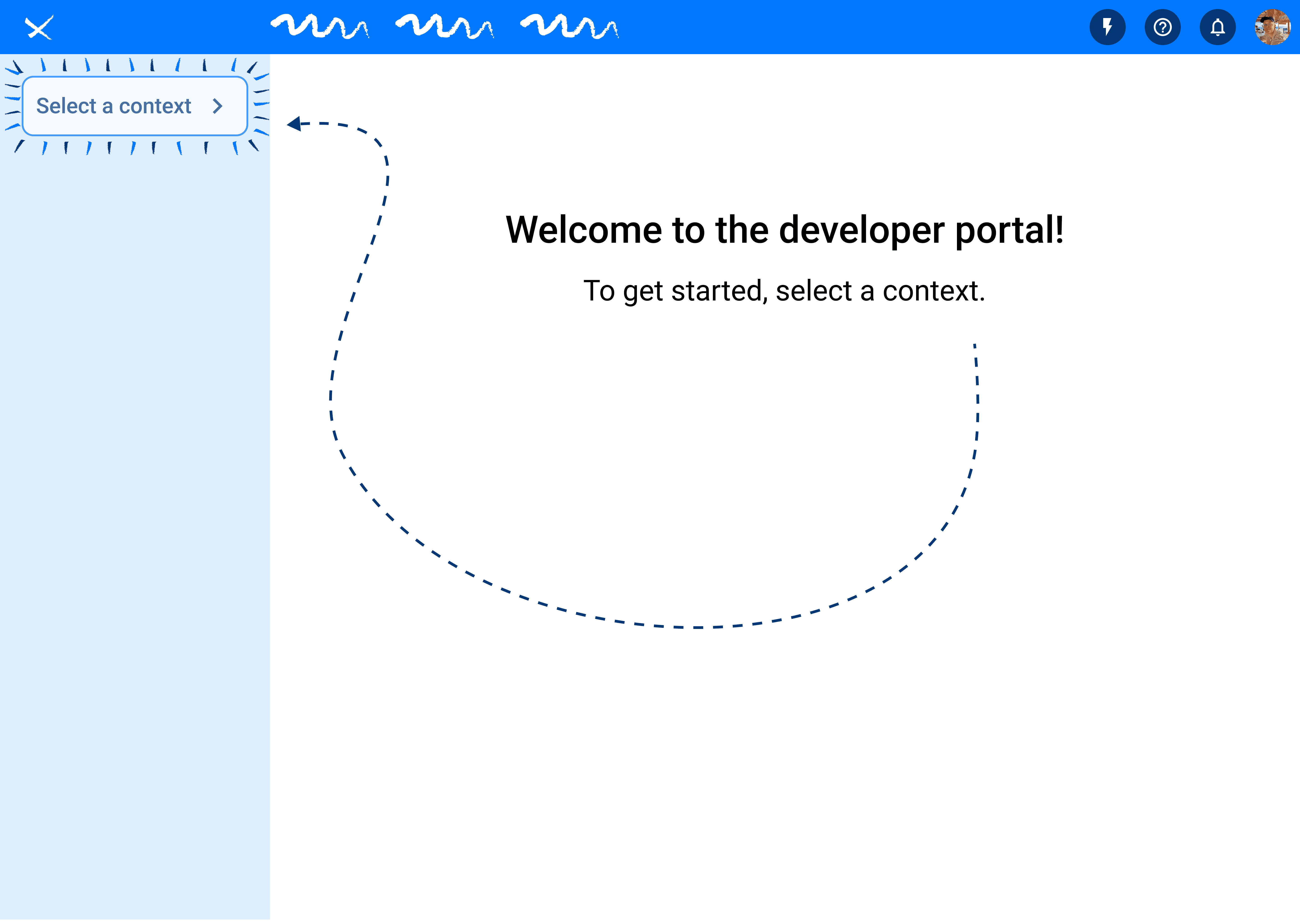

With more time, I would have liked to explore a more thorough onboarding experience, which could allow users of the developer portal to personalise their experience while introducing them to key concepts such as their projects and applications. An onboarding journey which allowed users to configure their active projects, define their roles and select 'top tasks' would ensure a more relevant dashboard and navigation menu from the outset.
Both metrics were measured through usability testing, where participants completed a set of tasks in the redesigned prototype. Satisfaction was rated 1–5 ('very dissatisfied' to 'very satisfied'), with 4 or 5 counting as satisfied. Ease of use followed the same scale, from 'very difficult' to 'very easy'. Following the redesign, developer satisfaction jumped from 29% to 71% — a 42 percentage point improvement. Ease of use rose from 80% to 88%, a meaningful gain that suggested the changes had made the product genuinely easier to use, not just better liked.
Working within a tight delivery window taught me that usability testing doesn't always have to be a linear, sequential process. Once thematic consensus began to emerge across participants, we were able to iterate on the prototype mid-study — allowing us to validate improvements faster and make better use of the time we had.
Testing a large number of changes simultaneously also sharpened how we interpreted findings. With engineering capacity limited, we needed to know which changes were moving the needle most. Tracking task completion rates, observing navigation behaviour, and noting which improvements participants surfaced unprompted gave us a clear, evidence-based basis for prioritising what got built first.